
Chapter 2 · 2.1
Three ways to log in
Watch it in a short video
DirectAdmin is the control panel for your hosting package. There, you create email addresses, manage your domains and DNS, request an SSL certificate and much more. There are three ways to get in. Whichever one you choose makes no difference to what you can do afterwards: you always end up in the same panel.
| Method | What do you need? | When is it handy? |
|---|---|---|
| Via My WebOké (recommended) | Just your My WebOké login. No separate password for DirectAdmin. | Always. This is the quickest and safest way. |
| Directly on port 2222 | Your server name, your DA username and your DA password. | If you want to bookmark DirectAdmin, or if someone else (for example your web builder) needs to log in without your My WebOké. |
| Via your own domain with /config | Your domain name, your DA username and your DA password. | If you don't know your server name. Works as soon as your domain points to your hosting package. |
In addition, the AI assistant in My WebOké can log you in with a single click (see Signing in with the help of the AI assistant). This is really the first method, but from within a chat conversation.
Which method do we recommend?
We recommend logging in via My WebOké. That way:
- you don't need to remember an extra password;
- you always end up on the correct server automatically, even if we ever move your package to a newer server;
- you're extra protected, because My WebOké asks for a code by email or from your authenticator app when you log in.
In short
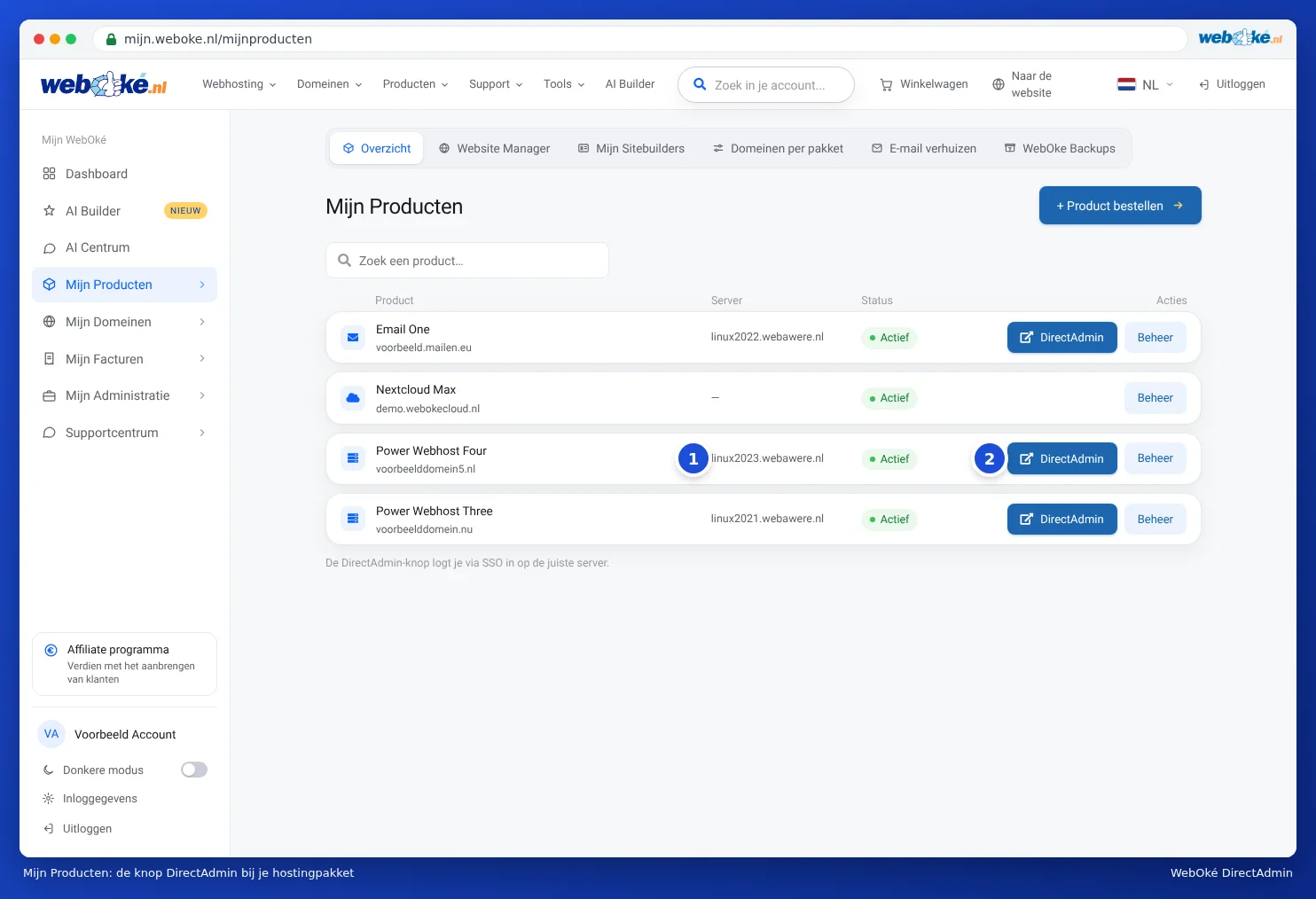
- Log in to My WebOké, via my.weboke.nl or via My Account at the top right of our website.
- Click My Products.
- Click DirectAdmin next to your hosting package. DirectAdmin opens in a new tab and you're logged in straight away.
The steps with screenshots are in Signing in via My WebOké. If you want to log in directly, first read Finding your server name and DA user name and Setting or changing your DA password, then Signing in directly on port 2222.
Tip: Do you have an email package (such as Email One) instead of a web hosting package? You log in the same way. In DirectAdmin, you'll only see the sections that belong to your package.