
Chapter 2 · 2.4
Finding your server name and DA user name
Watch it in a short video
Want to log in directly to DirectAdmin, or set up an FTP program? Then you need two details: the server name of your package and your DA user name. You'll find both in My WebOké.
The server name
Your hosting package is located on one of our servers. It has a name such as linux2023.webawere.nl. You'll find it in My WebOké under My Products, in the Server column (1).
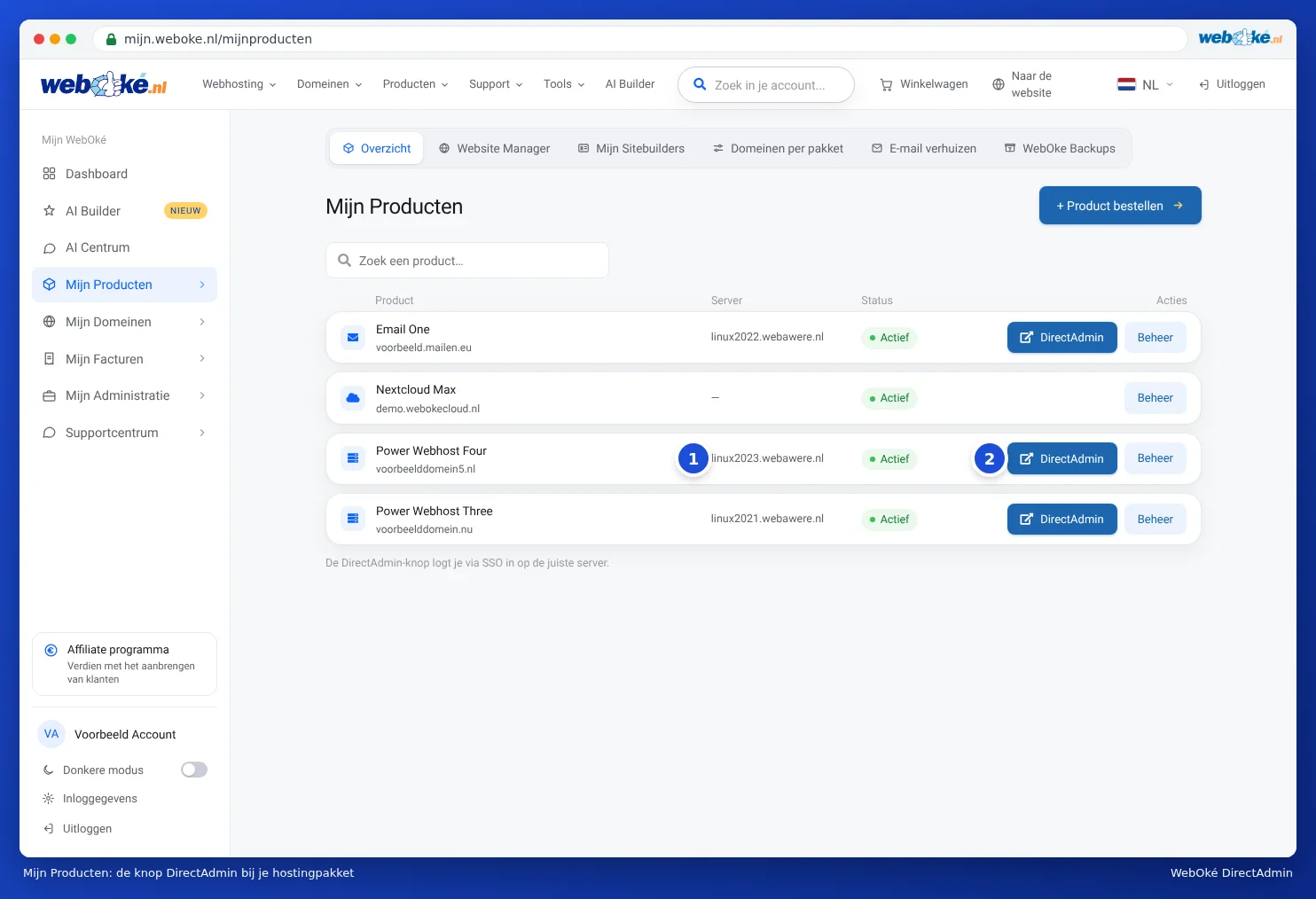
The server name is also in the welcome email you received when your package was set up.
The DA user name
Every hosting package has its own user name in DirectAdmin. It usually consists of eight characters (letters, sometimes with numbers), for example wtsilefl. With older packages, it may be shorter or longer. You don't choose it yourself: we create it when your package is set up. Here's how to find it:
- In My WebOké, go to My Products.
- Click Admin next to your hosting package.
- Next to DA user (1) you'll see your user name. The server name is also shown here, next to Server.

In DirectAdmin itself, you'll see your user name in the top right, after Hello,.
What do you use these details for?
| Purpose | Server | User Name | Password |
|---|---|---|---|
| Logging in directly to DirectAdmin | servername:2222 | DA user name | DA password |
| The default FTP account (see Verbinden met FileZilla (FTP, FTPS en SFTP)) | server name | DA user name | DA password |
| Opening phpMyAdmin | From DirectAdmin, without a separate password (see Opening and using phpMyAdmin) | ||
Please note: Each of your email addresses has its own password. So your DA password is not the password for your mailbox (only the default email account of your package uses the DA password, see The default email account of your package). You can read how to change a mailbox password in Changing the password of an email address.
Tip: You can't change your DA user name. Want to give someone else access to part of your package, such as just one folder via FTP? Then create a separate FTP account (see Creating and managing FTP accounts), instead of sharing your DA details.