
Skip to content

Cookie settings

Choose which kinds of cookies you allow. You can change your choice at any time via Cookie settings at the bottom of every page. Privacy statement

Necessary

Always on

Needed to log in, keep your cart and remember your choices. These are always on.

Which cookies?
  • weboke_sessie, weboke_klant, weboke_remember: your session and staying logged in
  • weboke_basket: your cart
  • wkBtwIncl: showing prices with or without VAT
  • wok_cookies: your cookie choice, 12 months

Measures which ad leads to a visit or order, so we do not pay for ads that do nothing.

Which cookies?
  • Google Ads via Google Tag Manager (_gcl_au, _gcl_aw), up to 90 days
  • OpenAI Ads, ads in ChatGPT
  • wok_aff: which partner referred you to us (affiliate programme), 60 days

4.6

Country and language

Each country has its own site, with prices and VAT for that country.

View

Adding, moving and deleting slides

In the presentation editor, you create and edit presentations, including pptx files from PowerPoint. On the left is the slide overview with small previews of all your slides (1), and in the centre is the slide you're working on.

A presentation in Euro-Office with the slide overview on the left
The slide overview on the left (1), Add slide at the top (2) and the slide in the centre (3)

Adding a slide

On the Home tab, click Add slide (2). The new slide is added after the slide you've selected. Click the arrow under the button to choose the layout straight away, for example Title and object or Two content.
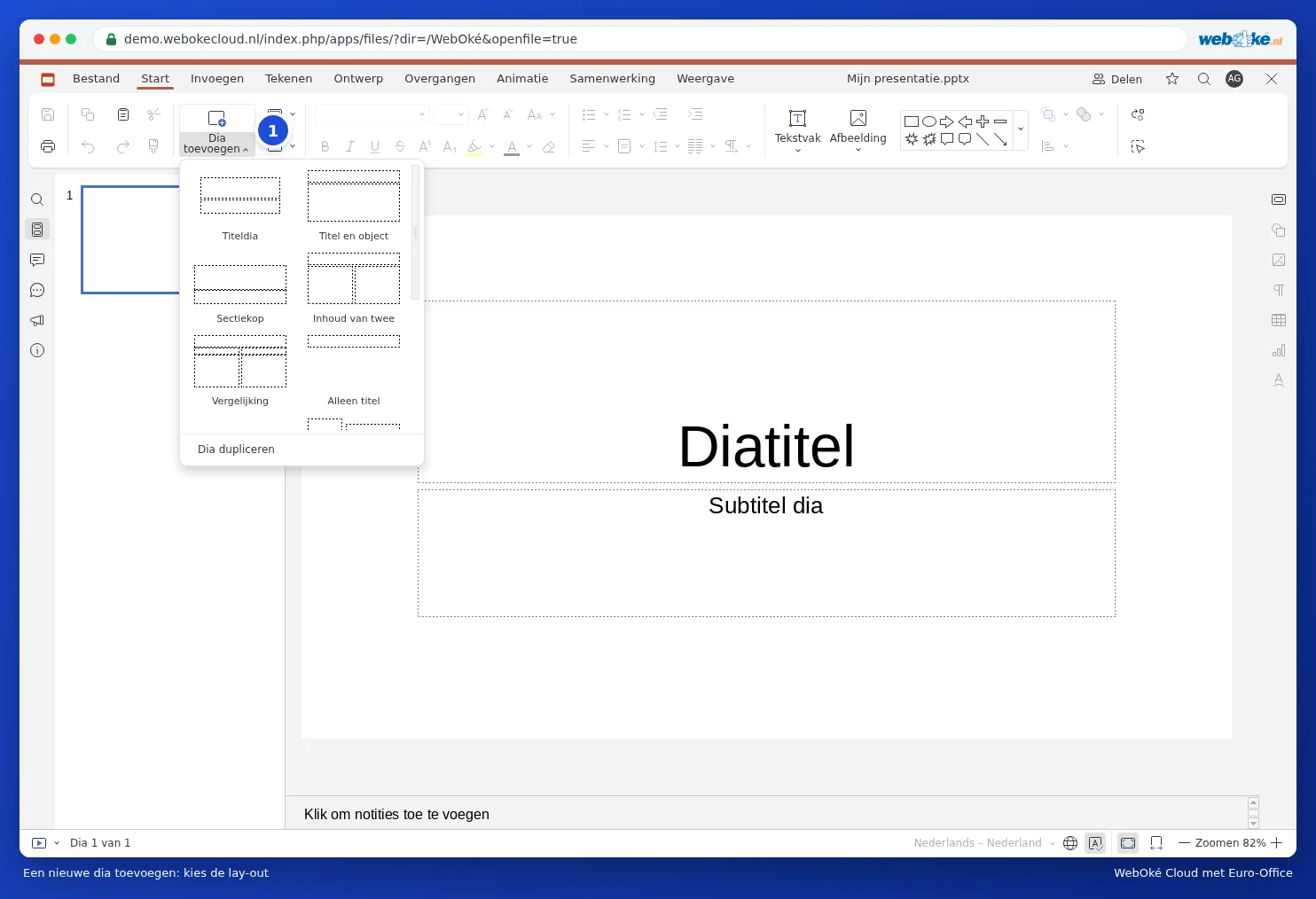
The Add Slide menu with the layouts
Adding a new slide: choose the layout

Shortcut: Ctrl + M adds a new slide.

Moving, duplicating and deleting slides

  • Move: drag a slide in the slide overview to a different spot.
  • Duplicate: right-click the slide and choose Duplicate slide. Handy if the next slide looks almost the same.
  • Delete: select the slide and press Delete, or choose Delete slide from the menu.
  • Hide: want to keep a slide but not show it while presenting? Choose Hide slide instead.
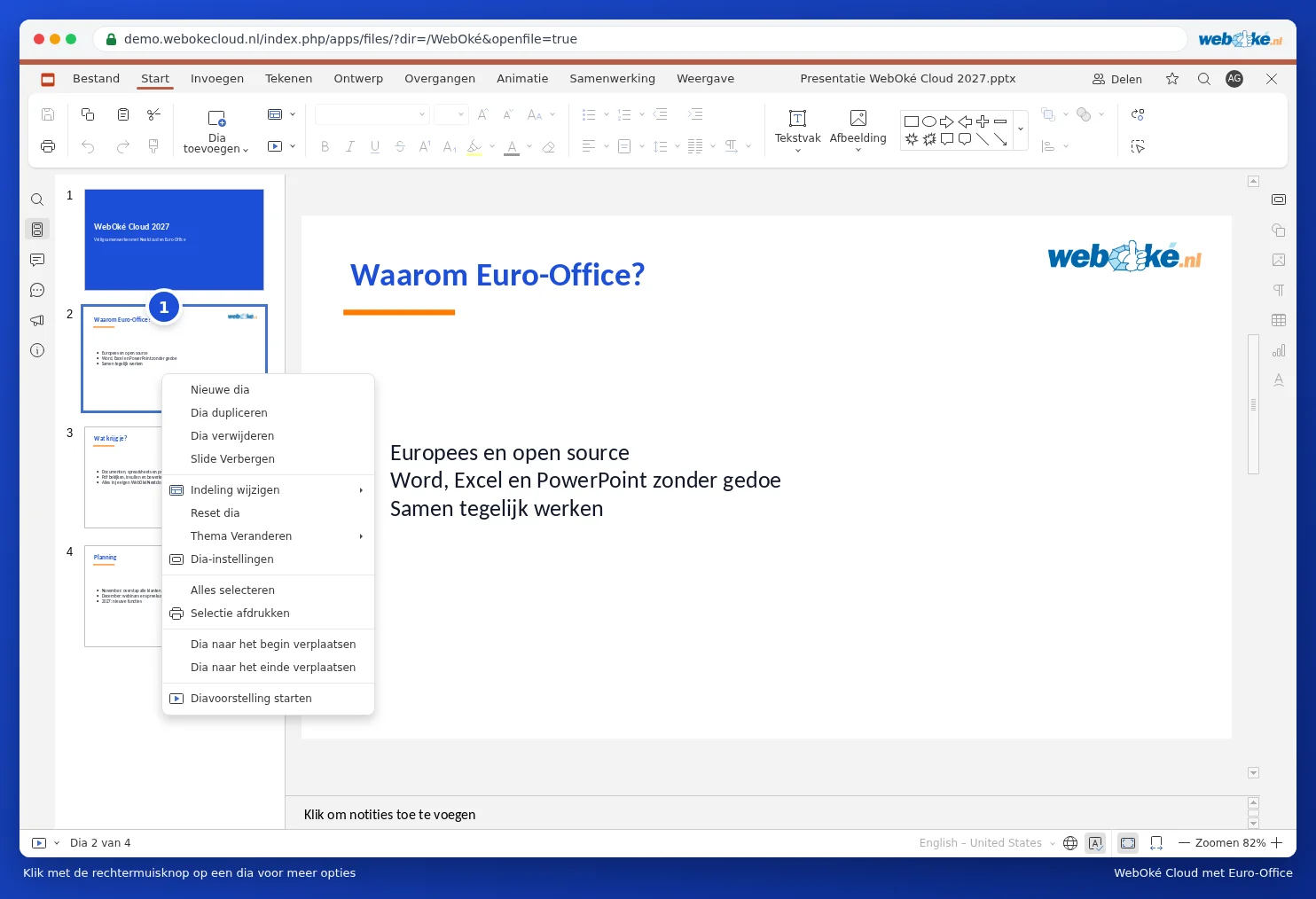
The menu for a slide in the slide overview
Right-click a slide for more options

Tip: hold Ctrl to select multiple slides, or Shift for a range. Then you can move or delete them all at once.

One moment…

Set up your domains

For each domain, arrange the nameservers, the link to your hosting and who becomes the owner.

Loading your domains…